
Trading
How to Make Your Steam Inventory Public
Making your Steam inventory public lets you trade CS2 skins instantly on trading websites like SkinStash.gg Trading services need to see your items to send offers. This quick guide shows the fastest way to enable it
You can go directly to your privacy settings with this link while logged into Steam. https://steamcommunity.com/id/me/edit/settings
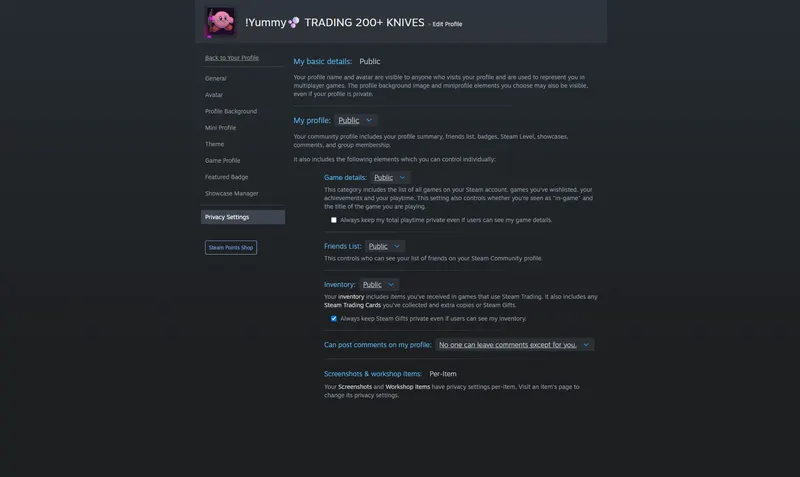
Once there scroll to the My inventory section and set it to Public. When you change it to Public, its already saved. Your inventory is now public and ready for trading. Next, copy your Steam trade link so trade bots can send you offers.
Start trading your CS2 skins on SkinStash right away.